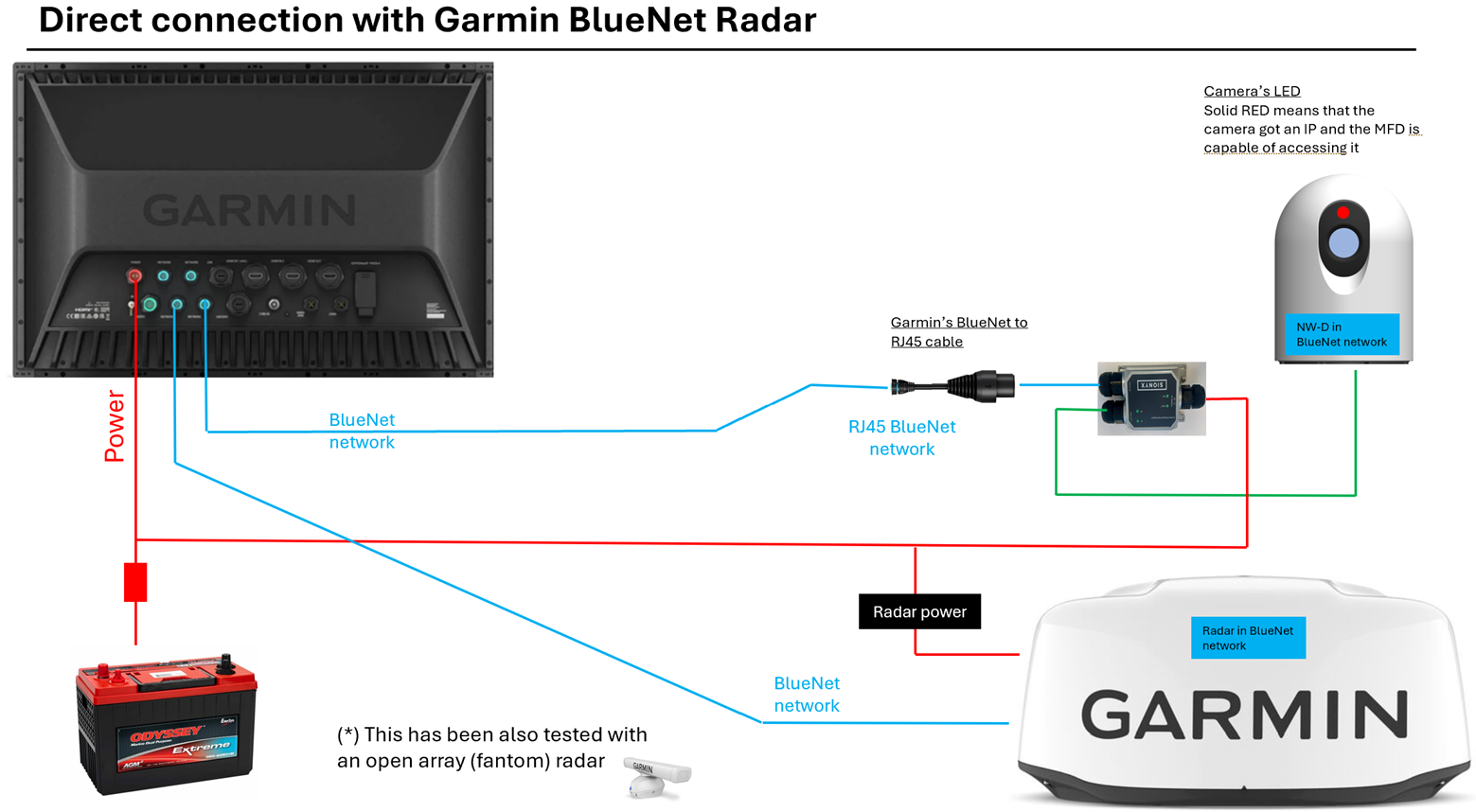
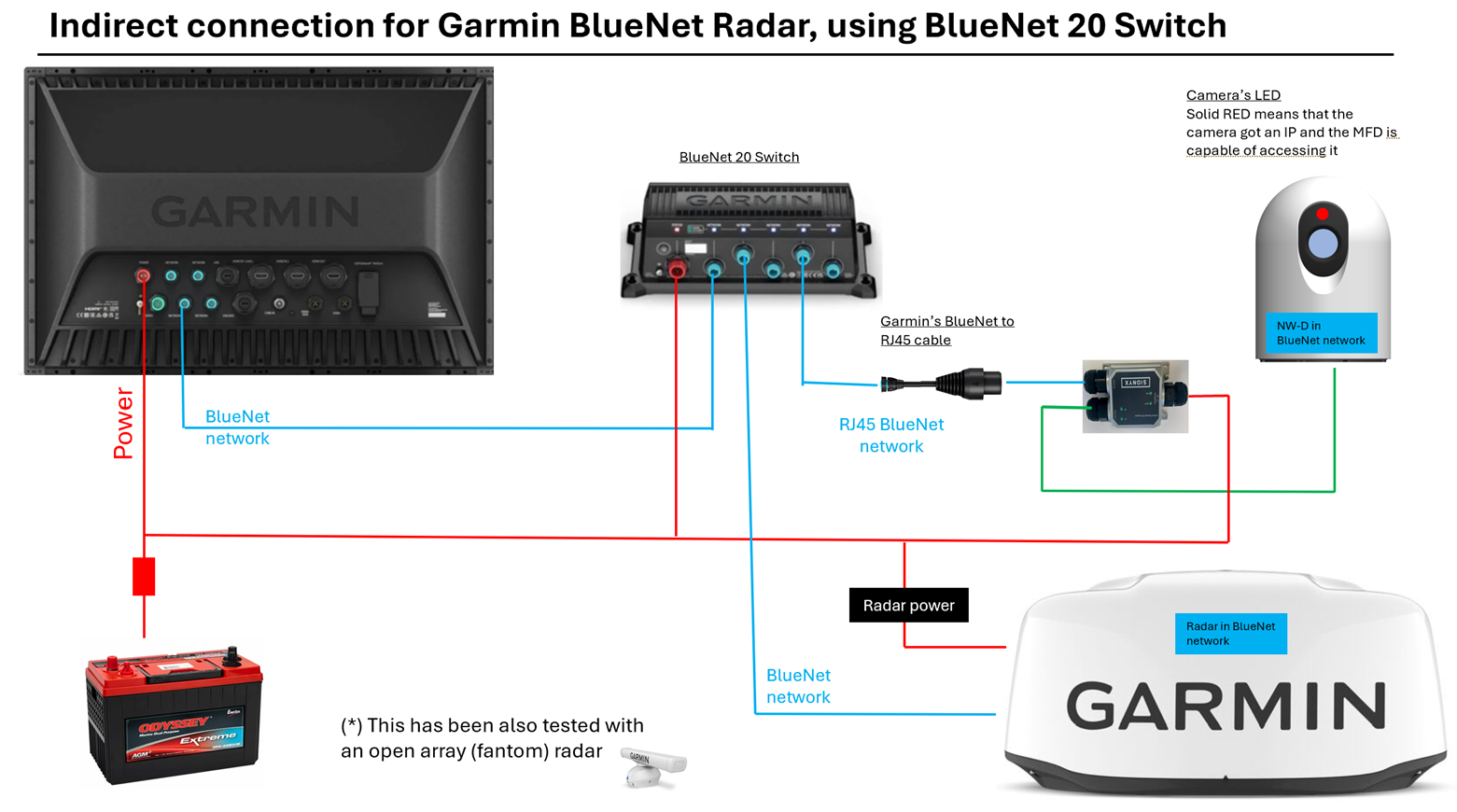
Garmin BlueNet Configurations
Garmin requires that BlueNet (new, high-speed, small connector) and Legacy Garmin Marine Network (old, RJ45, large connector) devices must be separated into distinct network groups to maintain proper network performance.
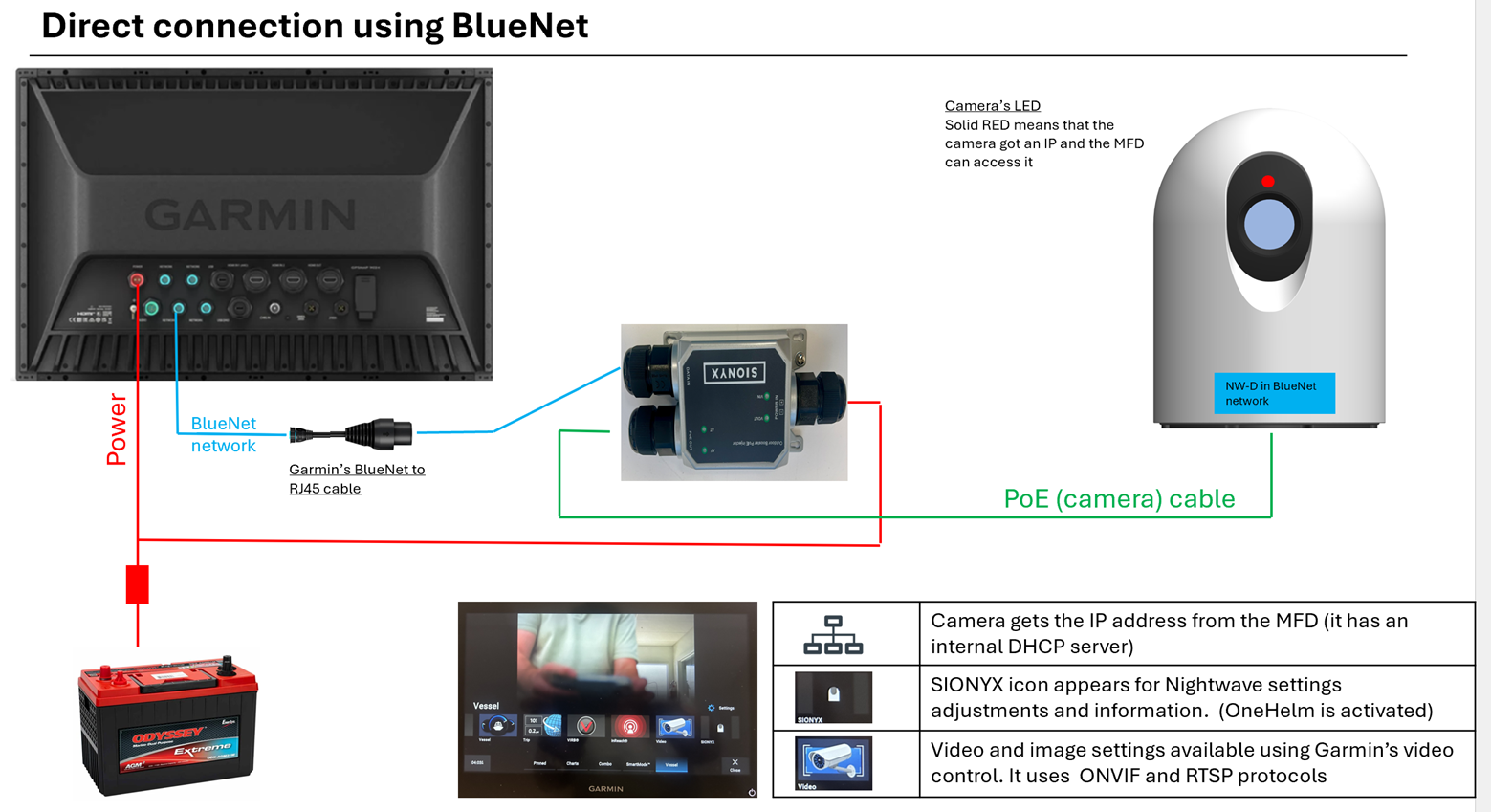
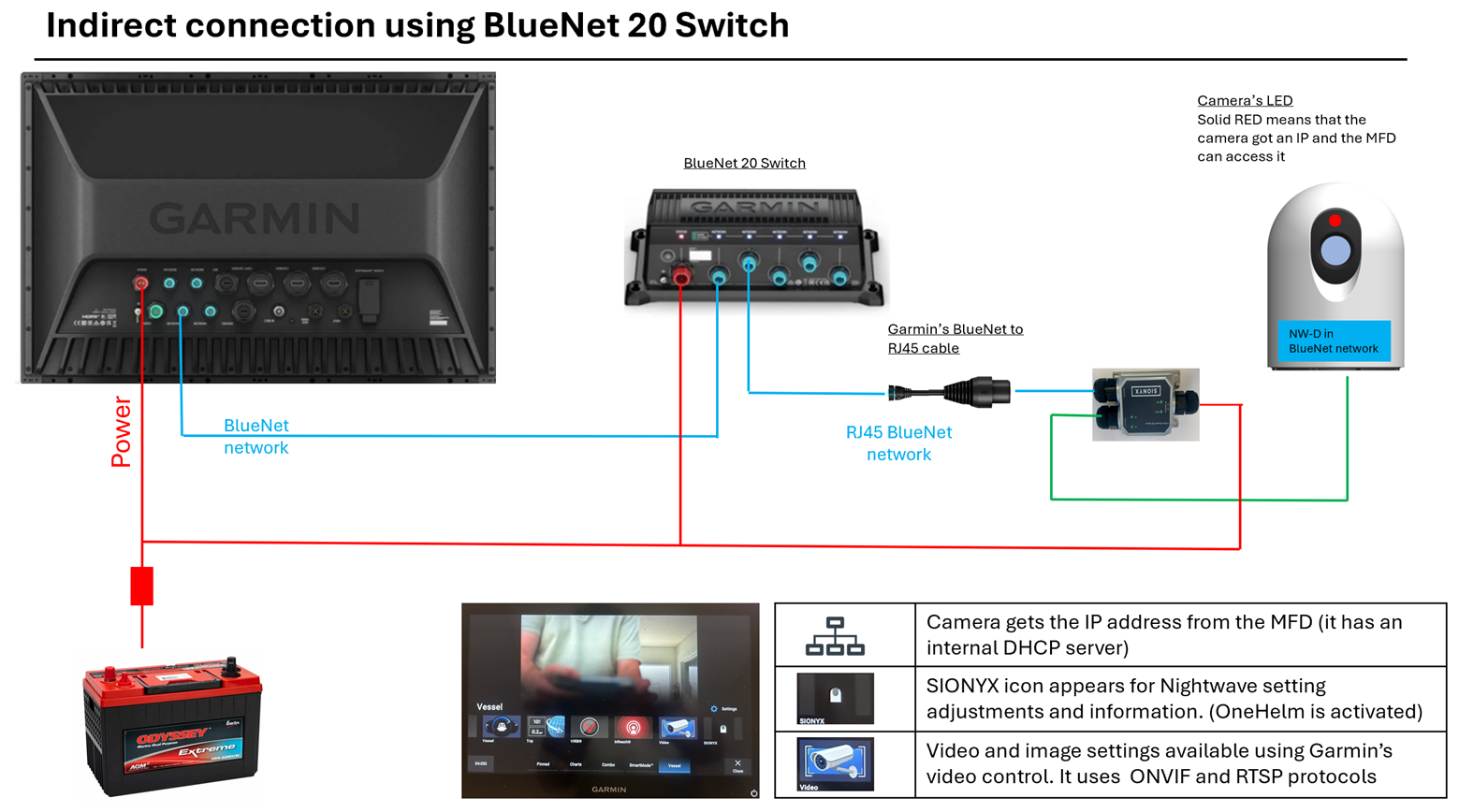
Below are wiring diagrams showing our recommended connection scheme for BlueNet systems.
Adapter cable needed: Garmin Marine Network Adapter Cables
RJ45 (Female) to BlueNet (Female) PART NUMBER: 010-12531-11
https://www.garmin.com/en-US/p/743484/pn/010-12531-11/
Garmin MFD is the DHCP server on the network.
Please bypass any switches / network expanders if you are able and connect directly to the MFD
Update Garmin software to have ONVIF scan find the Nightwave as a Video Source.
In the SIONYX Tool-panel icon, you may need to change the resolution to be 1280 x 720 or 960 x 720.
(1280 x 1024 might show slightly fuzzy video since the MFD is interpolating the data to fit the aspect ratio of the MFD.)
Recommended:
Recommended: