
When connecting power to the Power over Ethernet (PoE) Injector:
Place the cable gland components on the power cable and the two Ethernet cables.
Carefully strip back the power cable sheath, being careful not to cut the insulation for the conductors.
Carefully strip back a short length of insulation from the red and black wires.
Undo the jack screws holding the phoenix plug into the phoenix socket
Remove the phoenix plug
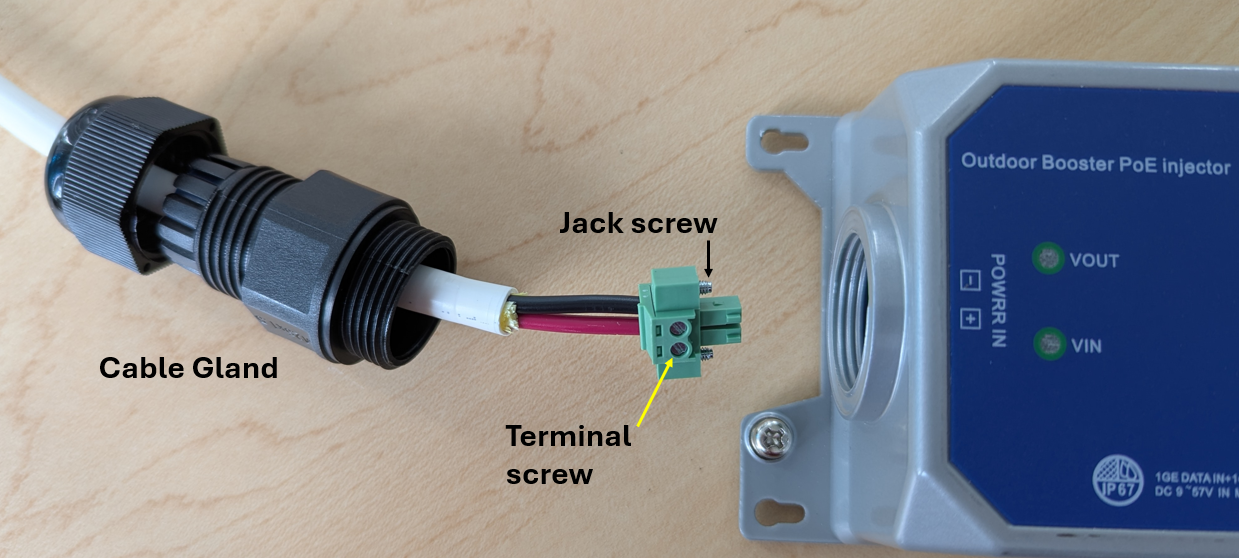
Make sure the face of the phoenix socket is flush with the circuit board underneath it (you can give it a gentle push inwards if needed, to seat the socket on the horizontal PCB pins)
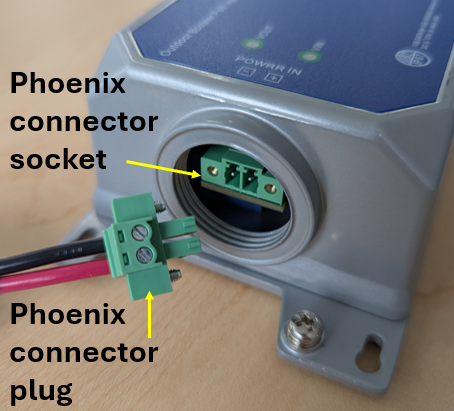
Install the DC wires into the plug, following the labels on the top of the PoE injector. Note the that plug is keyed, so orientation matters.
Tighten the terminal screws
Install the plug into the PoE Injector
Tighten the jack screws on either side of the plug
When installing or removing the IP68 cable glands from the PoE injector, always hold the outer cable jacket - to reduce mechanical strain on the connections between the wires and the PoE injector circuit board - as you rotate the gland around the cable.
Never rotate the cable gland into or out of the PoE Injector
unless you are sure the cable seal is loose
Connect network connections as shown below. Install all three cable glands,
PoE Injector connections showing the 3 green indication LEDs that are lit during normal operation:
It is normal that 'AT' is not lit up.
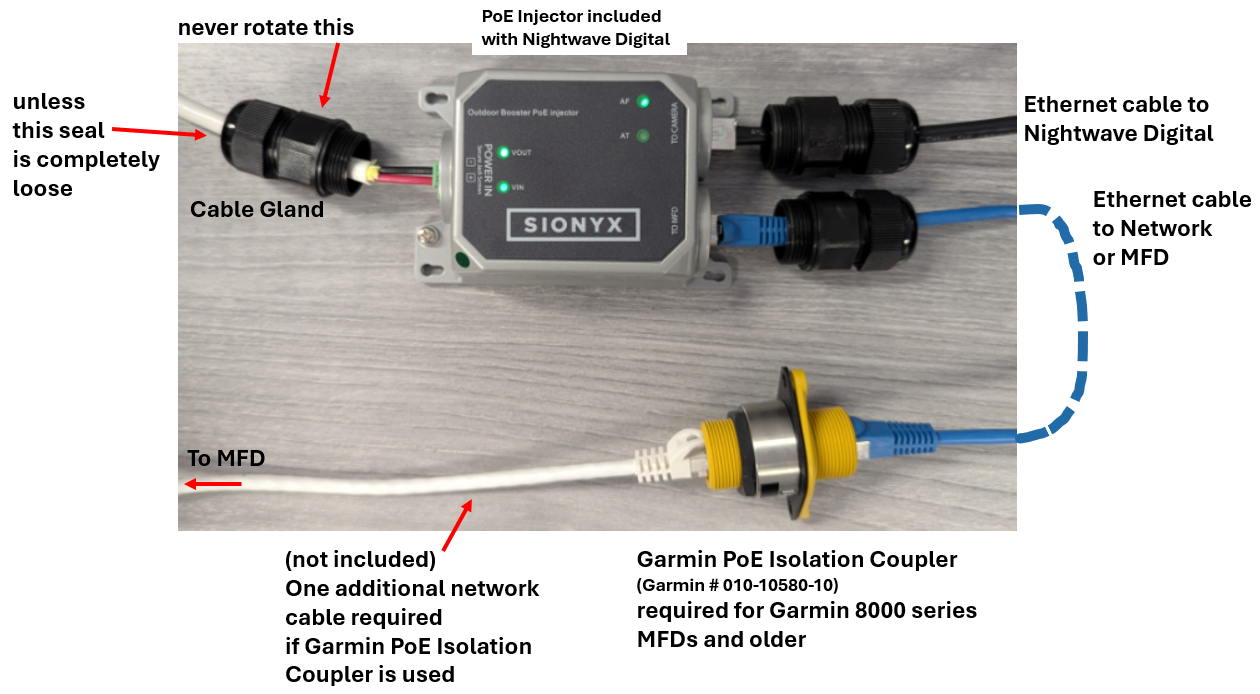
Note:
- The additional ethernet patch cable (white in the picture above)
must also be straight (568B) wired - Garmin PoE isolation coupler is Garmin part number 010-10580-10
- Cable Glands shown disconnected in picture above